LanGlue · iPhone and iPad

Language
that sticks.

A language focused flash card application. Build your decks in any language. No account needed, no tracking - just language that sticks

  • Four test modes
  • Any language
  • No account
  • On-device AI
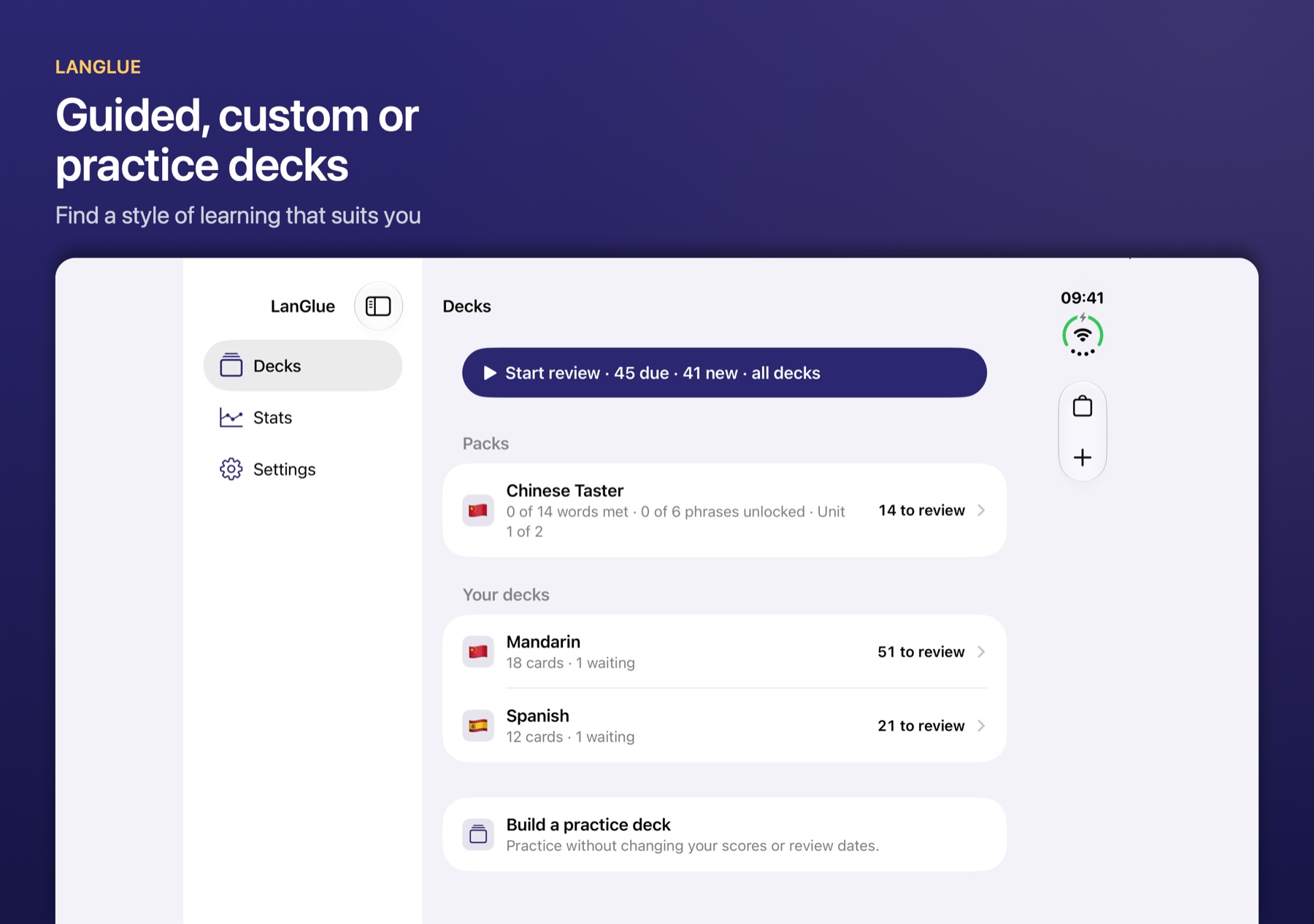
LanGlue on iPad in its two-pane layout, with packs, personal decks and a practice deck
A Mandarin recognition card in LanGlue showing 苹果, apple and píng guǒ

The app The whole loop,
on screen.

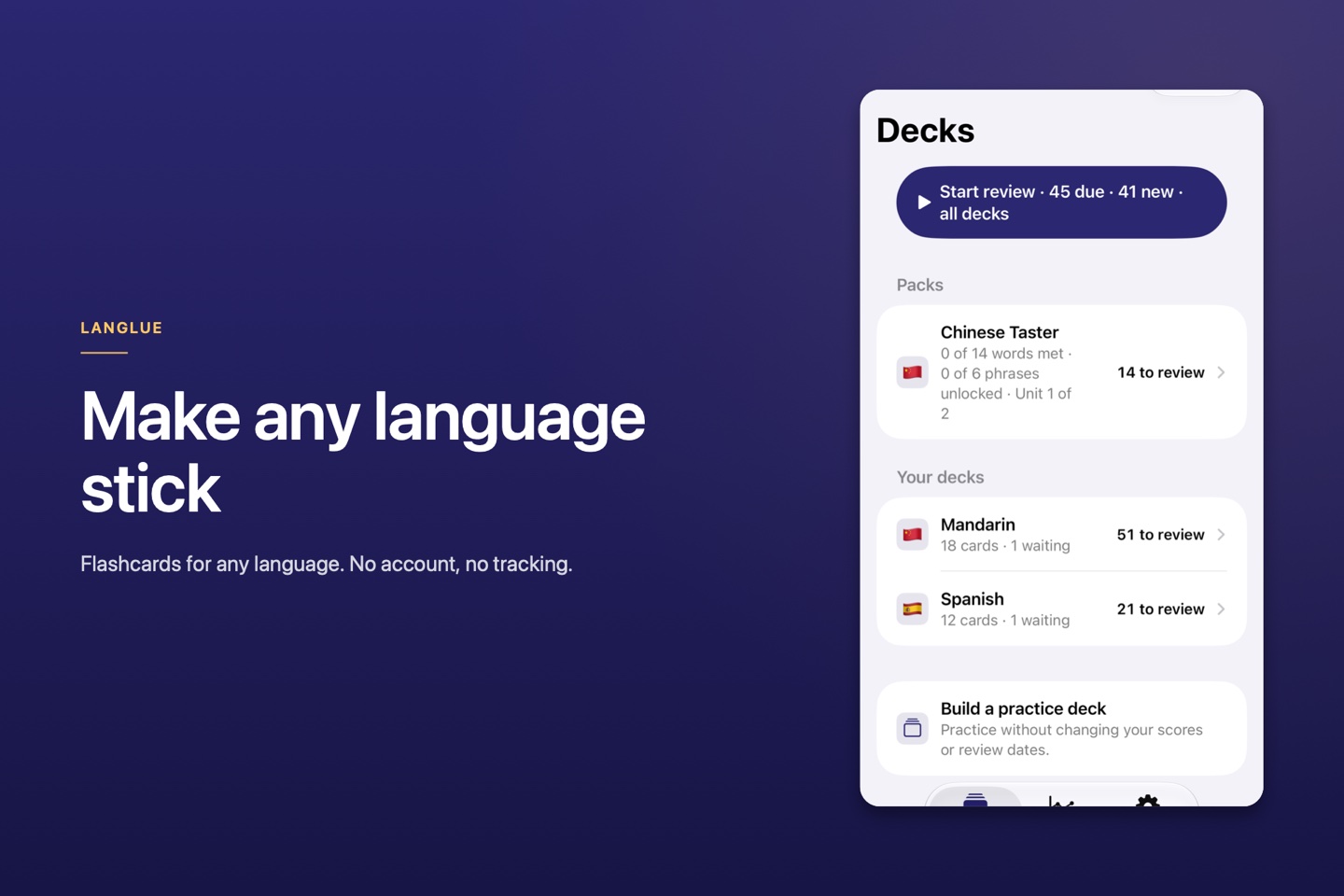
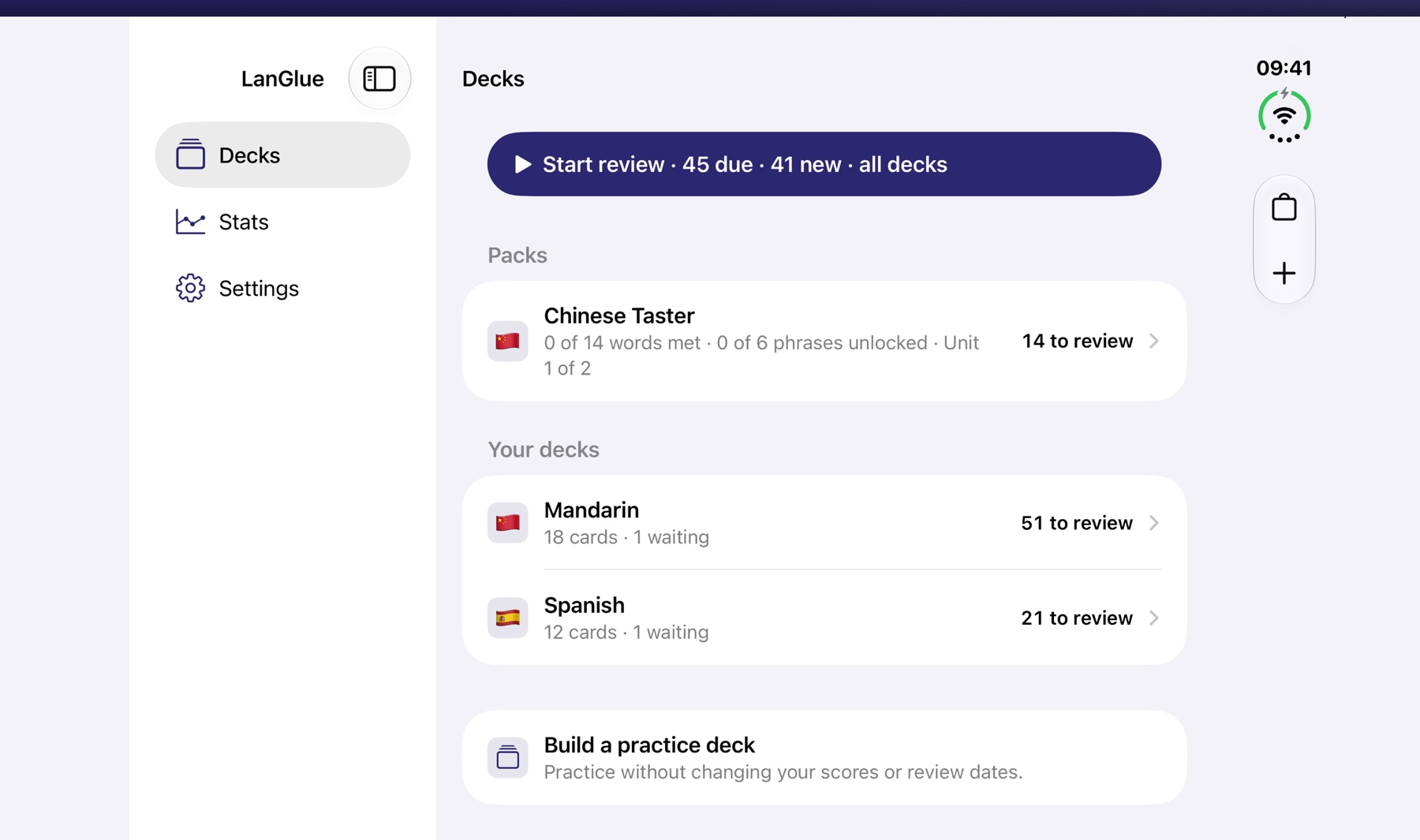
Real screens from the app: a library that holds packs and personal decks, a review card with its notes and examples, on-device enrichment, and stats that show what is sticking.

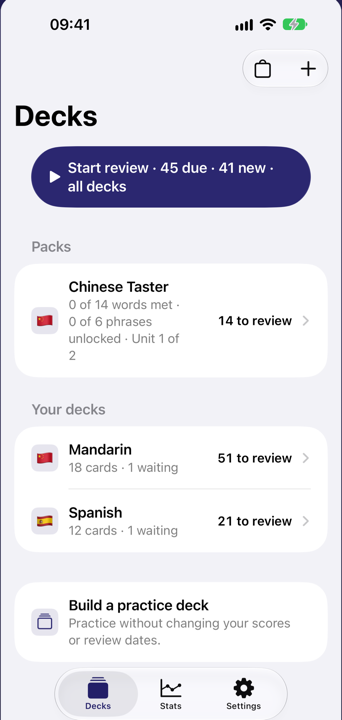
LanGlue library with packs and personal decks
Your libraryDecks, packs and practice.
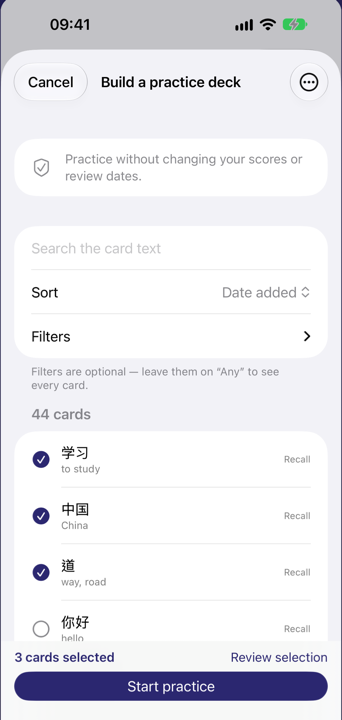
Building a practice deck in LanGlue without changing scores or review dates
PracticeWithout changing scores or dates.
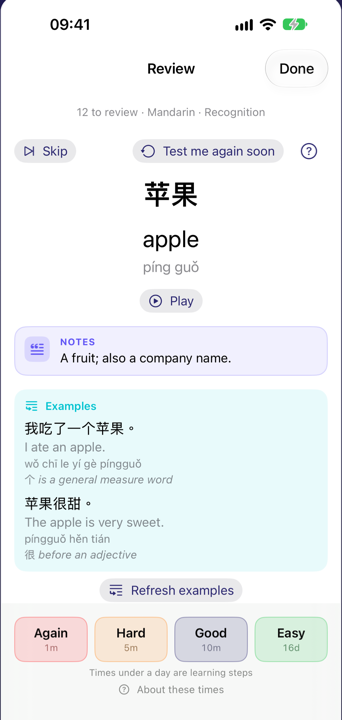
A Mandarin recognition card with notes, examples and grade intervals
RecognitionNotes, examples and the next interval.
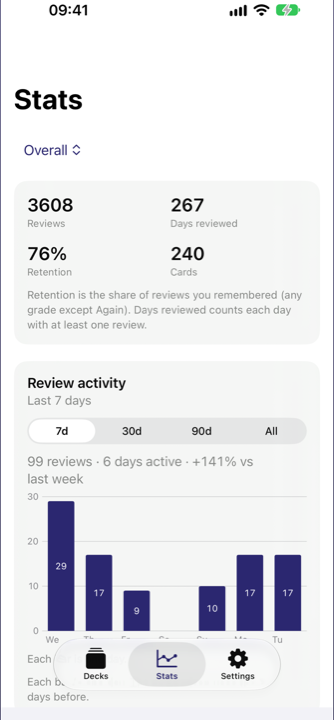
LanGlue stats showing reviews, retention and vocabulary growth
ProgressWhat is sticking, in numbers.

One card, four memories Four ways to test
every word.

Reading, listening, recall and writing are scheduled independently. A word you can read is not automatically counted as a word you can write.

  1. 01RecognitionTarget language → native language
  2. 02RecallNative language → target language
  3. 03ListeningAudio only → meaning
  4. 04WritingPrompt → typed answer

Recognition · Mandarin

Your deck, your language Build a deck in
any language.

Start from a guided pack or type your own cards. Readings, scripts and listening voices follow the language you are learning.

  • ScriptsSimplified and Traditional Chinese, with pinyin and zhuyin readings.
  • AudioOn-device listening voices, with a picker for the voice that suits you.
  • CardsType your own, import a pack, or start from the Chinese Taster.

Guided learning Let the words build
the sentences.

Guided packs introduce words in a deliberate order. As soon as you have met the words inside a phrase, the phrase unlocks — so you put what you have learned into a useful sentence instead of memorising a second random list.

Words you have met

你nǐyou 好hǎogood

unlocks the phrase

你好吗? nǐ hǎo ma How are you?

Mandarin is the first guided pack. The same structure is built for more languages: complete cards, a sensible order, and phrases that reuse the words you have just learned.

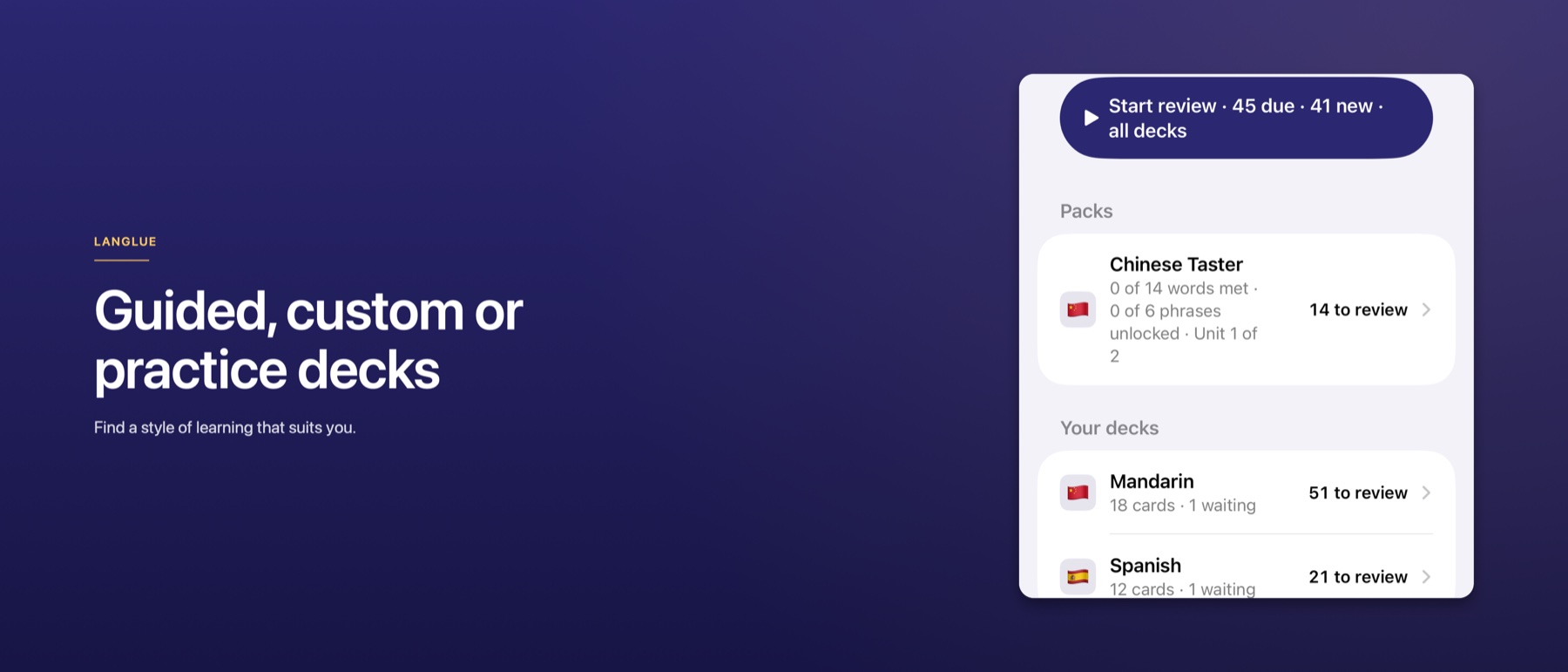
LanGlue guided, custom and practice decks
Guided, custom or practice decks: one library, three ways to learn.

iPhone and iPad One library.
Every screen.

The same decks, scores and review schedule follow you between iPhone and iPad. Your library syncs through your private iCloud.

LanGlue running on iPad and iPhone with the same library
The same library on iPad and iPhone.

No account. No tracking. Data Not Collected. Your library syncs through your private iCloud.

AI governance · LanGlue

How AI was used
in this project.

AI is used in two separate places: inside the app, where it runs on the device, and in the development workflow, where coding agents use tools and are checked before changes are signed off.

On-device product AI Agent-assisted development Human sign-off
Apple OpenCode Model Context Protocol Xcode Context7 GitHub DeepSeek GPT Xiaomi MiMo

Two separate uses Product AI and development AI.

Apple

In the product

Foundation Models runs on the device. Card content is not sent to a cloud AI service.

  • AI is optional. The core loop works with Apple Intelligence switched off.
  • Suggestions are editable; the learner decides what to keep.
  • AI does not change scores, due dates or scheduling.
OpenCode

In development

OpenCode agents implement and review changes with MCP tools. They work on a branch; the founder reviews before a TestFlight build.

  • Subagents have fixed roles and read-only access where possible.
  • Tests and reviews must pass before a build is handed over.
  • The founder signs off; agents do not upload to the App Store.

In the app On-device, optional and editable.

Apple

Foundation Models

Apple’s Foundation Models framework suggests examples, tags and readings for a card, parses practice-deck queries and generates example sentences. The model runs on the device.

Apple

Translation and speech

Translation and listening audio use Apple’s on-device Translation and speech synthesis frameworks. These are separate from Foundation Models.

Apple

Availability

A shared availability check looks for Foundation Models. If it is unavailable, the app explains why and keeps the manual path available. The app does not require an Apple Intelligence-capable device.

Swift

Learner control

Suggestions are shown before they are saved. The learner decides what to keep, and AI does not change scores, due dates or test-type enablement.

These are product design choices: on-device AI, no analytics and no third-party runtime dependencies.

Development workflow One primary agent and four subagents.

OpenCode is the coding harness. The primary build agent implements changes. Four subagents handle focused tasks; most are read-only.

AgentModelResponsibilityWhy chosenAccess
buildPrimary agent OpenCodeSession pick Implements changes, runs local tests and updates documentation. Session pick; strongest model for implementation. Full edit
qa-reviewerSubagent GPTGPT-6 Luna Checks the product requirements and architecture decisions; reports blocking and non-blocking findings. Strong review quality; lower cost. Read-only
test-runnerSubagent DeepSeekDeepSeek V4.1 Flash Builds, runs unit and UI tests, and captures simulator screenshots. Fast; low cost; good at running tools and reading logs. Tests only
doc-readerSubagent Xiaomi MiMoMiMo V2.6 Flash Fetches live Apple documentation and returns verbatim sections with source URLs. Exceptionally low cost; high context window. Read-only
exploreSubagent Xiaomi MiMoMiMo V2.6 Flash Searches the codebase and reports structure and references. Low cost; high context for code search. Read-only

Model assignments and permissions are recorded in ADR-001. The build model is chosen per session.

MCP servers Model Context Protocol.

MCP is an open protocol for connecting an AI client to external tools and data. A server exposes a small set of defined actions, and the agent calls them through a standard interface. LanGlue uses the following MCP servers:

Xcode

XcodeBuildMCP

2.7.0

Builds, tests, runs the app and captures simulator screenshots. The agent uses the same commands a developer would, and the output becomes test evidence.

Context7

Context7

library documentation

Up-to-date documentation for more than 152,000 libraries, with version-specific snippets and source links. The first stop for routine framework lookups.

Apple

Apple Docs MCP

1.0.26

Searches Apple’s official documentation and fetches pages through Apple’s JSON API. It also covers sample code, WWDC session transcripts and code examples, platform availability, and beta or deprecation status. That gives the agent a live source instead of relying on memory.

GitHub

GitHub MCP

read-only repository context

Code search, issues, pull requests and review comments. Useful when a change needs the surrounding history, without giving the agent write access to the repository.

Documents and decisions How the project records decisions.

Context is limited, so it is important to document requirements, changes and tasks so that they can be reviewed and used between sessions. Other files ensure the same process is followed between sessions and that the current status is always clear.

PRD

Requirements.md

The product requirements document is the source of truth. Requirements use IDs such as FR-7 (functional), NFR-3 (non-functional) and UX-7 (user experience), so code, tests and reviews cite the same rule. Changes need founder approval and an ADR.

ADR

docs/decisions/ADR-*.md

An Architecture Decision Record is a short file for one decision: context, choice, consequences and date. ADR-001 records the agent and model assignments, ADR-004 that AI is optional, ADR-005 test-type enablement and ADR-024 pacing. Settled decisions are not re-argued from memory.

Task brief

docs/tasks/*.md

One work package per session. The brief states the goal, acceptance criteria, product rules, likely files, references and out-of-scope work, then records the handoff.

Status

docs/STATUS.md

Read first and updated last. It records what is done, what is next, open questions and the decision log.

Instructions

Agents.md and skills

Agents.md carries the project rules, toolchain and agent policy. Versioned skills give the agents task-specific guidance — for example, how to apply the card and deck rules, how the spaced-repetition engines behave, how to use the on-device AI features, and how the content pipeline works. They are updated when the PRD changes.

Operations

docs/ops/

Runbooks, manual test checklists and evaluation reports. They are the evidence trail for releases and AI quality work.

Governance controls How the work is checked.

01

Founder sign-off is final

No milestone is complete without founder review in the Review pane or VS Code. An agent cannot approve its own work.

02

Automated gates must pass

The test-runner must report green for the build, unit tests and snapshot tests where present. The qa-reviewer must report zero blocking findings against the product requirements and architecture decisions.

03

Requirements stay traceable

Changes cite FR, NFR or UX IDs. Tests document the requirements they cover, and the QA review checks the same requirements. Coverage and lint results are part of the evidence.

04

Decisions are recorded

Architecture choices go into ADRs. PRD changes need founder approval and an ADR. Settled decisions are not re-argued from memory.

05

Documentation is grounded

Routine lookups use Context7. Live Apple documentation is used when a wrong answer would matter. ADR or PRD claims are checked against two independent live sources. New iOS 26 APIs are never guessed from memory.

06

Least privilege

qa-reviewer, doc-reader and explore are read-only. test-runner can run builds and tests but cannot edit code. Agents do not receive App Store credentials and do not upload builds.

07

Release gates

A TestFlight build is prepared only after the test and QA gates pass. The founder runs the manual device checklist and uploads the build; agents do not handle credentials.

08

Written handoff

One work package per session. The task brief, STATUS file and handoff are updated before the session ends; changes stay small and commits are frequent.

Product decisions, PRD changes, App Store submission and credentials stay with the founder. Agents can propose changes; they cannot approve or ship them.

Change flow From requirement to release.

  1. 01Plan

    Read the PRD, the relevant ADRs and the task brief. One work package per session.

  2. 02Implement

    The build agent makes a small change and adds or updates tests.

  3. 03Verify

    The test-runner builds, runs unit and UI tests, and returns PASS or a short failure report.

  4. 04Review

    The QA reviewer checks the product requirements and architecture decisions. Zero blocking findings are required.

  5. 05Sign off

    The founder reviews the evidence in the Review pane or VS Code. Sign-off is final.

  6. 06AppleRelease

    A TestFlight build is prepared. The founder runs the device checklist and uploads; agents do not handle credentials.

LanGlue app icon

Try LanGlue in beta.

We are inviting testers through TestFlight while we finish the first release. Email us for an invite, or ask us anything about the app.

iPhone and iPad · iOS 26 or later

Beta

LanGlue is in beta.

LanGlue is not on the App Store just yet. We are inviting testers through Apple TestFlight while we finish the first release.

Email [email protected] to apply for a place and we will send you an invite.

TestFlight is Apple’s beta programme. You will need an iPhone or iPad running iOS 26 or later.